Ooredoo Qatar 5G APN Settings for Android and iPhone
Ooredoo Qatar 5G APN Settings for Android, iPhone 17 Pro, iPhone 16, iPhone 15, Samsung Galaxy, Google Pixel, Xiaomi, Oppo, Vivo, Realme, Huawei, Honor and 5G WiFi Router.
Settings last verified: October 2026.
Quick answer: the Ooredoo Qatar 5G APN is data, with no username or password. It is the same APN used on 4G LTE; 5G itself is switched on from the phone’s network mode.
The APN is simply “data”, lower case, on both 4G and 5G.
Ooredoo Qatar 5G APN Settings for Android
On Samsung Galaxy go to Settings -> Connections -> Mobile networks -> Access Point Names -> Add. On Google Pixel and other stock Android phones go to Settings -> Network & internet -> SIMs -> Access Point Names -> +
Name : Ooredoo Qatar 5G
APN : data
Proxy : Not Set
Port : Not Set
Username : Not Set
Password : Not Set
Server : Not Set
MMSC : Not Set
MMS Proxy : Not Set
MMS Port : Not Set
MCC : (Keep default) 427
MNC : (Keep default) 01
Authentication Type : PAP
APN type : default,supl
APN protocol : IPv4/IPv6
APN roaming protocol : IPv4/IPv6
Enable/disable APN : APN Enabled
Bearer : Unspecified (or) LTE, NR (5G)
MVNO type : None
MVNO Value : Not set
Ooredoo Qatar 5G APN Settings for iPhone iPad
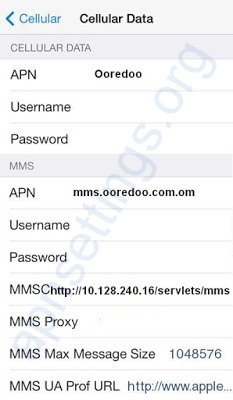
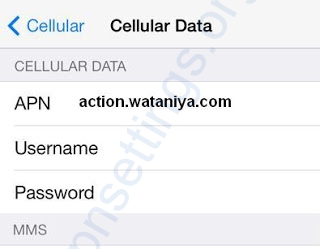
In your Apple iPhone go to Settings -> Mobile Service (Cellular) -> Mobile Data Network and enter the following details
APN: data
Username: Blank
Password: Blank
If you cannot see Mobile Data Network, your iPhone already gets the Ooredoo settings automatically.
How to turn on Ooredoo 5G
Samsung Galaxy: Settings -> Connections -> Mobile networks -> Network mode -> 5G/LTE/3G/2G (auto connect).
Google Pixel: Settings -> Network & internet -> SIMs -> Preferred network type -> 5G.
Xiaomi / Redmi / POCO: Settings -> SIM cards & mobile networks -> pick the SIM -> Preferred network type -> Prefer 5G.
iPhone 12 or later: Settings -> Mobile Service -> Mobile Data Options -> Voice & Data -> 5G Auto.
Ooredoo 5G not showing? Check these
- You are inside Ooredoo 5G coverage. Outside it the phone falls back to 4G LTE on the same APN.
- Your plan includes 5G and the phone supports the Ooredoo 5G bands.
- Old SIM cards may not register on 5G; a SIM swap fixes that.
- On iPhone, update iOS and accept the carrier settings update (Settings -> General -> About).
- Toggle Airplane mode, or restart the phone, after saving the APN.
Ooredoo Qatar APN Settings for 5G Router/WiFi Dongle
Go to Settings -> Profile Management
Profile Name: Internet 5G
APN: data
Access number: *99#
User name: Blank
Password: Blank
For MMS settings and older phones see Ooredoo Qatar 4G APN Settings for Android iPhone.