Lycamobile France APN Settings
Lycamobile France 4G 5G Internet Configuration for Android iPhone 16, iPhone 15 Pro, iPhone 15, iPhone 15 Pro HTC Galaxy Nexus Blackberry WiFi Router.
Lycamobile France APN Settings Android
In your Android Smart Phone Go to – Settings -> More ->Mobile Network -> Access point Names -> + ( to add)
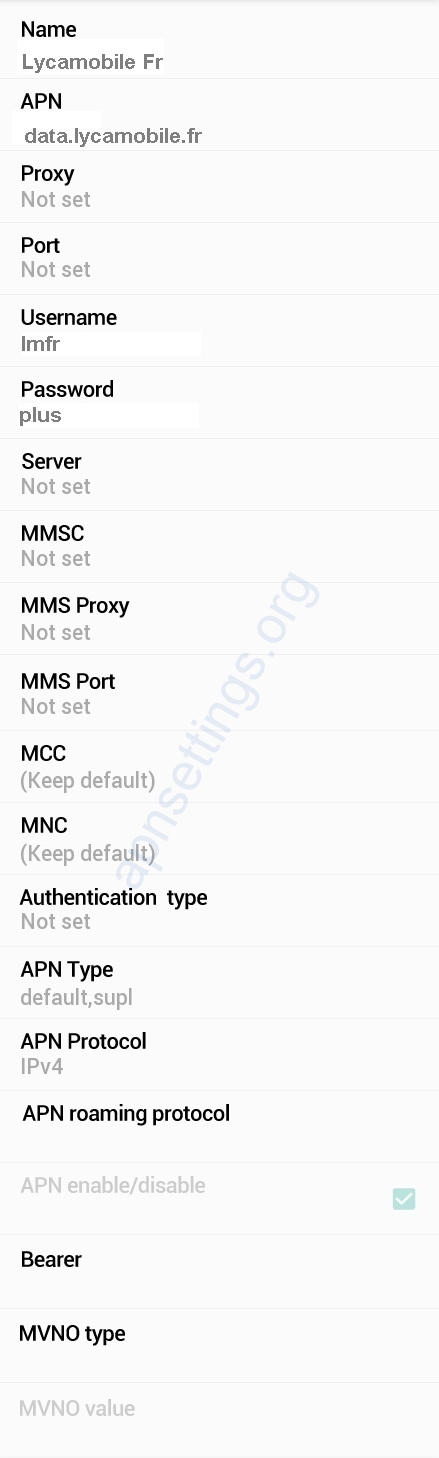
Name : Lycamobile Fr
APN : data.lycamobile.fr
Proxy : Not Set
Port : Not Set
Username : lmfr
Password : plus
Server : Not Set
MMSC : Not Set
MMS Proxy : Not Set
MMS Port : Not Set
MCC : 208
MNC : 25
Authentication Type : Not Set
APN type : default
APN protocol: Ipv4
Enable/disable APN: APN Enabled
Bearer: Unspecified
MVNO type : None
MVNO Value : Not set
Lycamobile Fr APN Settings for iPhone
In your Apple iPhone go to Settings -> Cellular -> Cellular Data Network -> APN and enter the following details
Cellular Data:
APN: data.lycamobile.fr
Username: lmfr
Password: plus
LTE Setup(Optional):
APN: Blank
Username: Blank
Password: Blank
MMS:
APN : Blank
Username: blank
Password: blank
MMSC: blank
MMS Proxy: blank
MMS Message Size: 1048576
MMS UA Prof URL: blank


