How to Turn On 5G and Fix 5G Not Showing
How to turn on 5G on Samsung Galaxy, Google Pixel, Xiaomi, Oppo, Realme, Vivo, OnePlus and iPhone, and what to check when 5G is not showing.
Last updated: October 2026 (Android 15/16, One UI 7/8, HyperOS, ColorOS, iOS 18/26).
Quick answer: 5G uses the same APN as 4G LTE; you do not need a special 5G APN. Turn 5G on in the network mode setting (Samsung: 5G/LTE/3G/2G (auto connect), iPhone: 5G Auto or 5G On).
Turn on 5G on Android
- Samsung Galaxy: Settings -> Connections -> Mobile networks -> Network mode -> 5G/LTE/3G/2G (auto connect).
- Google Pixel: Settings -> Network & internet -> SIMs -> choose the SIM -> Preferred network type -> 5G.
- Xiaomi / Redmi / POCO: Settings -> Mobile networks -> choose the SIM -> Preferred network type -> Prefer 5G.
- Oppo / Realme / OnePlus: Settings -> Mobile network -> SIM 1 -> Preferred network type -> 2G/3G/4G/5G (Automatic), and switch on 5G if there is a separate toggle.
- Vivo / iQOO: Settings -> Mobile network -> SIM 1 -> switch on 5G (or Preferred network type -> 5G/4G/3G/2G).
Turn on 5G on iPhone 12 or later
Settings -> Mobile Service (Cellular) -> Mobile Data Options -> Voice & Data -> 5G Auto (saves battery) or 5G On (uses 5G whenever it is available).
5G not showing? Check these
- Coverage: you are inside your carrier 5G area. Outside it the phone uses 4G LTE on the same APN.
- Plan: your plan includes 5G. Some prepaid and older plans are 4G only.
- Phone: the phone supports the 5G bands your carrier uses. Imported phones may miss local 5G bands.
- SIM: very old SIM cards may not register on 5G; ask the carrier for a SIM swap.
- iPhone Low Power Mode turns 5G off for most data. Switch Low Power Mode off and look again.
- Dual SIM: many phones use 5G only on the SIM chosen for mobile data.
- Software: install the latest system update and, on iPhone, the latest carrier settings (Settings -> General -> About).
5G icon shows but data is slow or off
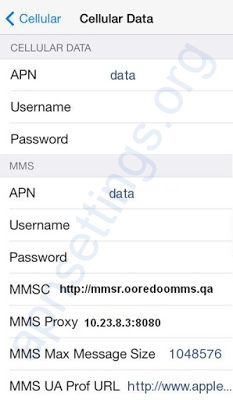
- Check that the right APN is selected; 5G will not connect with an MMS-only APN.
- Switch Airplane mode on and off to register on the network again.
- If the APN was changed by hand, reset it: see How to Reset APN Settings to Default.