Public Mobile APN Settings for Blackberry
Public Mobile APN Settings for BlackBerry: Priv, KEYone and KEY2 (Android based) and BlackBerry 10 (Passport, Z10, Q10)
The Priv, KEYone and KEY2 run Android, so they take the Public Mobile settings for Android. For an iPhone, see the Public Mobile settings for iPhone.
Blackberry APN
Internet APN:
Tap Settings -> Network Connections -> Mobile Network ->APN
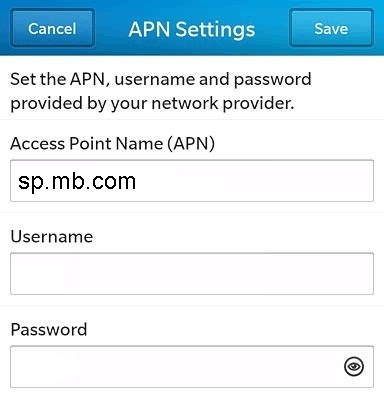
Access Point Name (APN) : sp.mb.com
Username : Blank
Password : Blank
MMS APN:
Tap Text Messages ->…> Settings ->Text Messages ->MMS ->Advanced and type in the values below
Access Point Name (APN) : sp.mb.com
Username : Blank
Password : Blank
MMSC Settings
MMSC URL : http://aliasredirect.net/proxy/mb/mmsc
Proxy URL: 74.49.0.18:80
Proxy Username: Blank
Proxy Password: Blank


