Koodo APN Settings for Windows Phone
Koodo Internet and MMS Settings for Windows 10 Mobile and Windows Phone 8.1 (Nokia and Microsoft Lumia)
Windows Phone is no longer supported. Setting up a newer phone instead? See the Koodo settings for Android or the Koodo settings for iPhone.
Koodo APN for Windows 10 Mobile
On Windows 10 Mobile open Settings -> Network & wireless -> Cellular & SIM -> SIM settings -> Add an internet APN
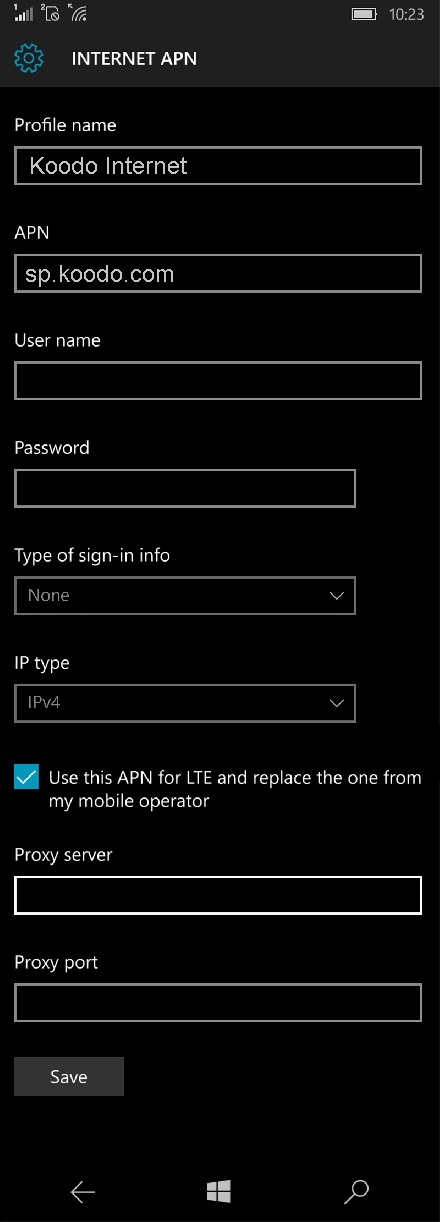
INTERNET APN
Profile Name : Koodo Internet
APN : sp.koodo.com
User name: Blank
Password: Blank
Sign-in type : None
IP Type :Ipv4
Proxy server (URL): Blank
Proxy Port : Blank
MMS APN
Profile Name : Koodo MMS
APN : sp.koodo.com
User name: Blank
Password: Blank
Sign-in type : None
IP Type :Ipv4
Proxy Server : 74.49.0.18
Proxy Port : 80
MMSC (URL): http://aliasredirect.net/proxy/koodo/mmsc
MMSC Port: Blank
Maximum MMS Size (KB): 1024


