Tata Docomo Internet Settings for iPhone iPad
Carrier merged: Tata Docomo’s mobile business merged into Airtel in 2019, and its customers were moved to Airtel. For an Airtel SIM, use our Airtel APN settings for Android or our Airtel settings for iPhone. The settings below are the old ones and are kept only as a record.
Tata Docomo 4G LTE 3G APN Settings for iPhone X Xplus 8 8Plus 7S 6 6S 6Plus 5C 5S iPad
Tata Docomo APN Settings for iPhone
In your Apple iPhone go to Settings -> Cellular -> Cellular Data Network -> APN. and enter the following details
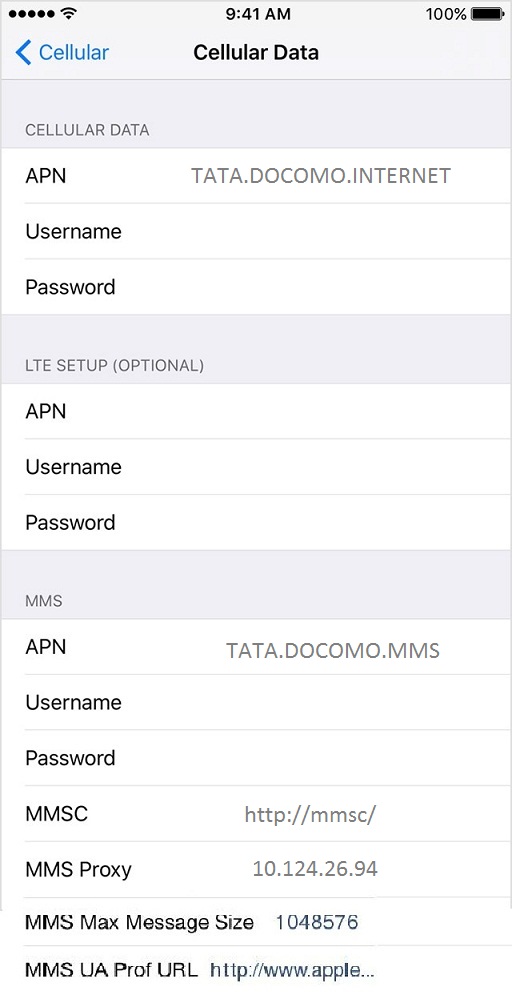
Cellular Data:
APN: TATA.DOCOMO.INTERNET
Username: Blank
Password: Blank
LTE Setup(Optional):
APN: Blank
Username: Blank
Password: Blank
MMS:
APN: TATA.DOCOMO.MMS
Username: blank
Password: blank
MMSC: http://mmsc/
MMS Proxy: 10.124.26.94
MMS Message Size: 1048576
MMS UA Prof URL: blank


